OBJ Viewer (C++)
Related Topics: OpenGL GUI Application, OpenGL Vertex Buffer Object
Download: ObjViewer.zip, ObjViewer_mac.zip
Overview
OBJ file is a 3D geometry file format, which is originally developed by Wavefront Technologies. It supports various geometric data, such as points, lines, Bezier curves. etc. This page focuses on only polygonal faces, and explains how to parse vertex attributes and faces from an OBJ and its assocoated meterial file, MTL, and how to pass the polygonal data to OpenGL pipeline.
The comprehensive specification and documentation of the OBJ format can be found at Paul Bourke’s web page.
OBJ Format
For a polygonal geometry, OBJ format consists of 2 major sections. The first part in the OBJ file defines the vertex attributes, such as vertex positions (v), normals (vn) and texture coordinates (vt). Each line in the OBJ file contains a single vertex attribute, starting with v, vn or vt.
The second part is the polygonal face definitions by indexing the vertex attributes that are previously defined. Each line of a face definition begins with f and defines 3 indices (for a triangle) or more indices (for a polygon) of the vertex attributes.
There are other optional specifiers in the OBJ file for grouping faces together with g, or for defining the material for the polygon with usemtl or mtllib.
| # | Comment line |
| v |
Define a vertex position with (x, y, z)
|
| vt |
Define a normalized texture coordinate with (s, t)
|
| vn |
Define a normalized vertex normal with (nx, ny, nz)
|
| f |
Define a polygonal face with 3 or more indices of v, vt and vn arrays
The vertex index is 1-based and mandatory but the indices of normal and texture coordinates are optional. Therefore, there are 4 possible cases: vertex only, vertex-texture, vertex-normal, or vertex-texture-normal. The order of attributes are v > vt > vn. |
| g |
Define a group of 1 or multiple faces with a name
The subsequent faces are belongs to the group. |
| mtllib |
Define the name of MTL file
|
| usemtl |
Define a name of material that is used to the following group
The material is defined in a separate MTL file. |
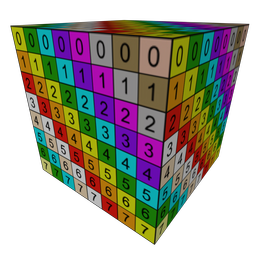
The following example describes a unit cube with 6 quads (faces); 8 vertices, 6 vertex normals and 4 texture coordinates. Note that each face consists of 4 vertex indices or a quad. To draw a quad in OpenGL, you need to convert the quad to 2 triangles. For example, the index list of a quad is 1-2-3-4, then the indices of 2 triangles become 1-2-3 and 3-4-1.
# OBJ file of a unit cube with 6 quads
# define MTL file
mtllib cube_quads.mtl

# define 8 vertex positions
v -0.5 -0.5  0.5
v  0.5 -0.5  0.5
v  0.5  0.5  0.5
v -0.5  0.5  0.5
v  0.5  0.5 -0.5
v -0.5  0.5 -0.5
v  0.5 -0.5 -0.5
v -0.5 -0.5 -0.5

# define 4 texture coords
vt 0.0 0.0
vt 1.0 0.0
vt 1.0 1.0
vt 0.0 1.0

# define 6 vertex normals
vn  0.0  0.0  1.0
vn  0.0  1.0  0.0
vn  0.0  0.0 -1.0
vn  0.0 -1.0  0.0
vn  1.0  0.0  0.0
vn -1.0  0.0  0.0

# define 6 faces with quads
g pCube1
usemtl material0
f 1/1/1 2/2/1 3/3/1 4/4/1
f 4/1/2 3/2/2 5/3/2 6/4/2
f 6/3/3 5/4/3 7/1/3 8/2/3
f 8/1/4 7/2/4 2/3/4 1/4/4
f 2/1/5 7/2/5 5/3/5 3/4/5
f 8/1/6 1/2/6 4/3/6 6/4/6
MTL Format
MTL (Material Template Library) file contains multiple material definitions of the associated OBJ file. It specifies the colour (ambient, diffuse and specular) and texture map per material.
| newmtl |
Begin a new material definition with name
|
| Ka |
Define the ambient colour of the material with (r, g, b)
|
| Kd |
Define the diffuse colour of the material with (r, g, b)
|
| Ks |
Define the specular colour of the material with (r, g, b)
|
| Ns |
Define the specular exponent of the material
|
| d |
Define the transparency of the material (alpah value)
|
| map_Kd |
Define the texture map file for the diffuse
|
There are more definitions supported by MTL format. It lists only the commonly used material definitions here. The following shows an example of MTL file containing a single material in it.
# MTL file for a unit cube
# define a material
newmtl material0
Ka 0.00 0.00 0.00
Kd 0.80 0.80 0.80
Ks 1.00 1.00 1.00
Ns 16.0
map_Kd numgrid256.tga
ObjModel Class (C++)
This C++ class is to load and save a OBJ file, and provide interfaces to pass vertex and index data to OpenGL. This class supports only definitions described in the previous OBJ/MTL section. Loading an OBJ file is 2-pass parsing process. The pseudocode is;
-
Scan line-by-line and store the vertex attribute lines to the lookup arrays
- If it begins with v, add the vertex position to vertex lookup array
- If it begins with vt, add the texture coordinate to texture coordinate lookup array
- If it begins with vn, add the vertex normal to normal lookup array
- For other lines, store the line to the lines array
-
During the second pass, parse the groups, faces and materials from the lines array
- If it begins with g, create a new group
- If it begins with mtllib, parse the MTL file
- If it begins with f, construct the index array by referencing the lookup arrays
This is a code snippet to pass the vertex data to OpenGL's VBOs from ObjModel class after loading a OBJ file.
// load OBJ and MTL
ObjModel obj;
obj.read("cube_quads.obj");
obj.printSelf();

// copy vertex data to VBO
glGenBuffers(1, &vbo);
glBindBuffer(GL_ARRAY_BUFFER, vbo);
const float* vertexData = obj.getInterleavedVertices();
unsigned int dataSize = obj.getInterleavedVertexSize();
glBufferData(GL_ARRAY_BUFFER, dataSize, vertexData, GL_STATIC_DRAW);

// copy index data to VBOs
int groupCount = obj.getGroupCount();
glGenBuffers(groupCount, &ibos[0]);
for(int i = 0; i < groupCount; ++i)
{
    glBindBuffer(GL_ELEMENT_ARRAY_BUFFER, ibos[i]);
    glBufferData(GL_ELEMENT_ARRAY_BUFFER,
                 obj.getIndexCount(i)*sizeof(int),
                 (void*)obj.getIndices(i),
                 GL_STATIC_DRAW);
}

...

// draw OBJ with VBOs
glBindBuffer(GL_ARRAY_BUFFER, vbo);
int stride = obj.getInterleavedStride();
glEnableVertexAttribArray(attribPosition);
glEnableVertexAttribArray(attribNormal);
glVertexAttribPointer(attribPosition, 3, GL_FLOAT, false, stride, 0);
glVertexAttribPointer(attribNormal, 3, GL_FLOAT, false, stride, (void*)(3*sizeof(float)));

// draw each group one by one
for(int i = 0; i < ibos.size(); ++i)
{
    glBindBuffer(GL_ELEMENT_ARRAY_BUFFER, ibos[i]);
    glDrawElements(GL_TRIANGLES, obj.getIndexCount(i), GL_UNSIGNED_INT, 0);
}
Please download ObjViewer below and see the detail implementation of ObjModel class. Or, check out the JavaScript version of ObjModel. But, the JS version doesn't parse grouping and MTL file.
Example: ObjViewer
Download:
 ObjViewer.zip (includes VisualStudio project, updated 2025-11-14)
 ObjViewer_mac.zip (includes Xcode project, updated 2025-11-14)
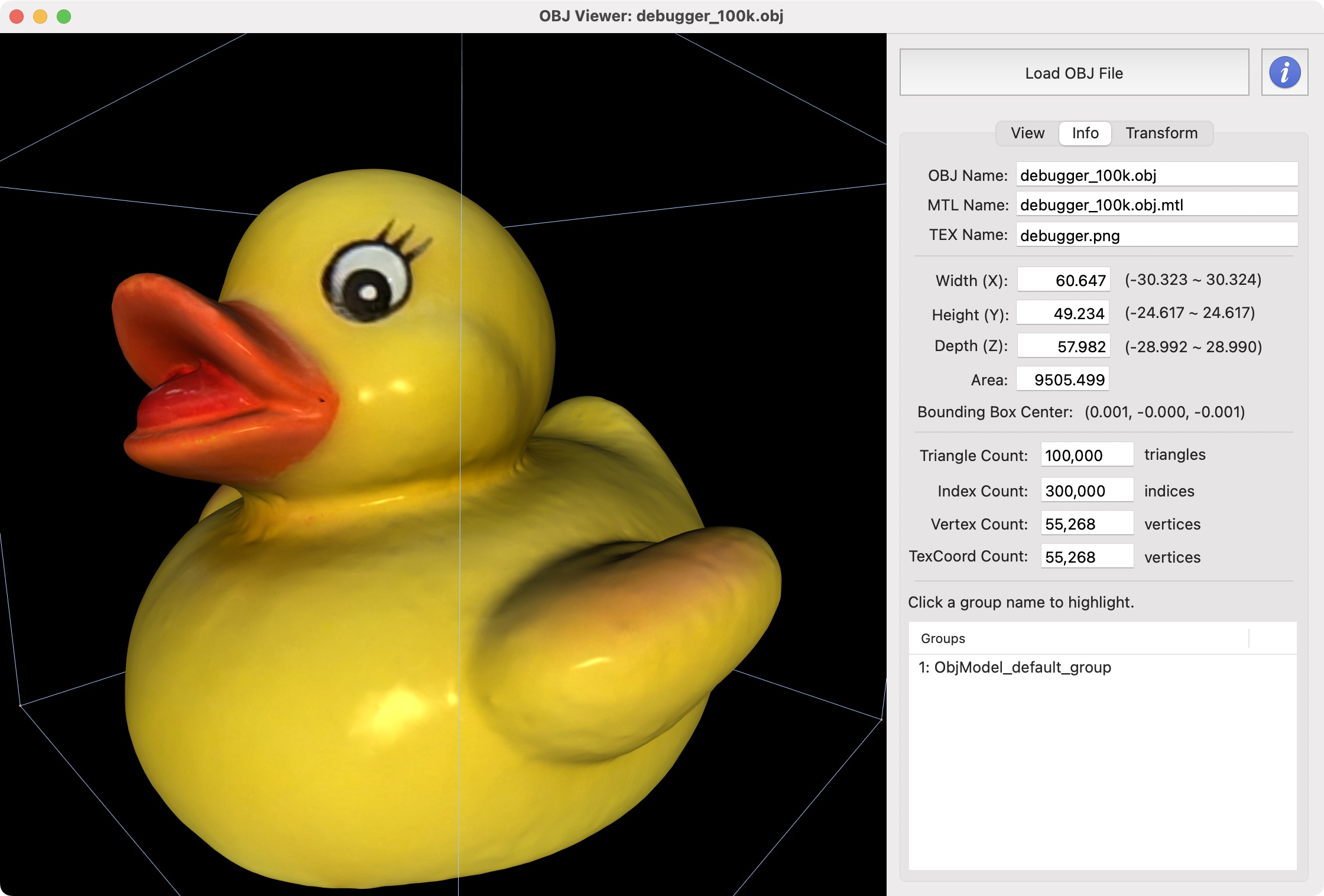
This GUI application allows to load an OBJ file using ObjModel.cpp class. It displays the details of the 3D geometry, such as the number of faces and vertices, the bounding box, surface area, etc. You can also save the OBJ file after transformation, or make a screenshot to a PNG image.
Sample OBJ Files
| Model | Description |
|---|---|
 |
Cube
|
 |
Sphere
|
 |
Cylinder
|
 |
Torus
|
 |
Utah Teapot
|
 |
DeBugger
|
 |
Beethoven Bust
|
 |
Lucky Cat
|
 |
Celestia
|

